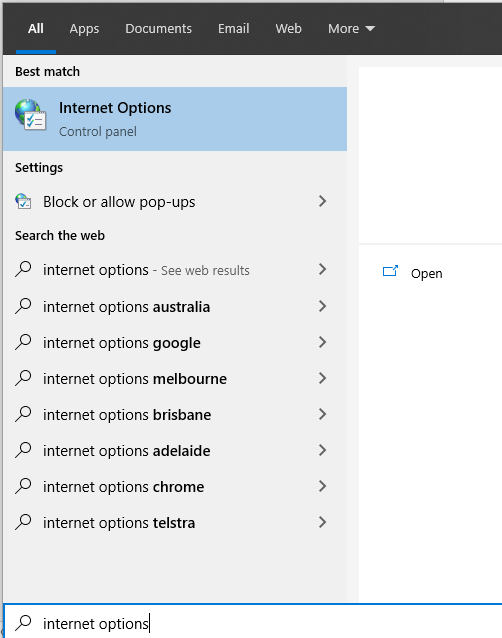
1. From the start menu, search for ‘Internet Options’.
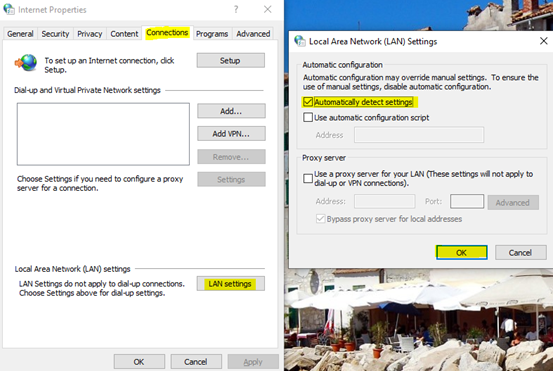
2. Click on the ‘Connections’ tab, select ‘LAN Settings’ and ensure the ‘Automatically detect settings’ option is ticked.

Modified on: Fri, 19 May, 2023 at 11:44 AM
1. From the start menu, search for ‘Internet Options’.
2. Click on the ‘Connections’ tab, select ‘LAN Settings’ and ensure the ‘Automatically detect settings’ option is ticked.
Did you find it helpful? Yes No
Send feedback