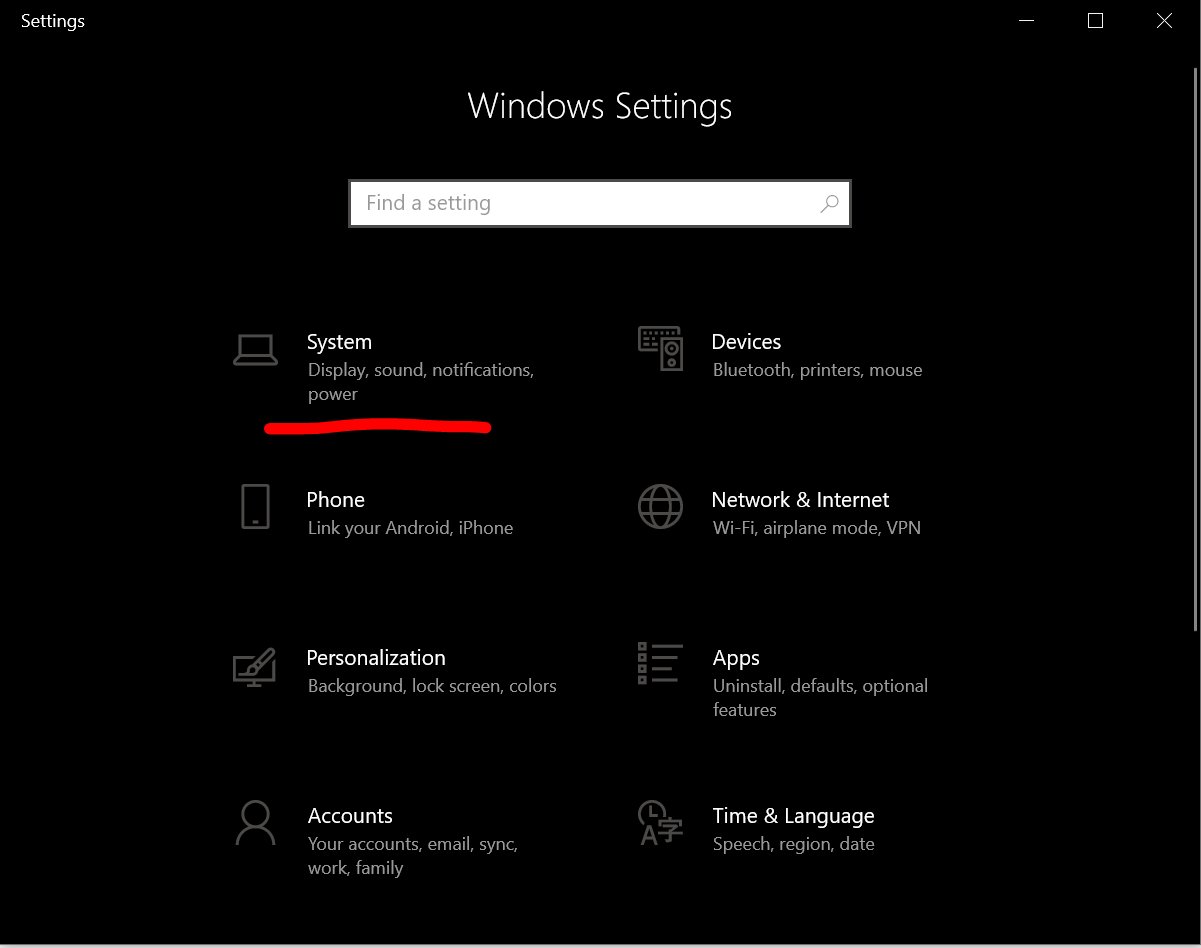
1. Go to Settings and click on system
2. Click on about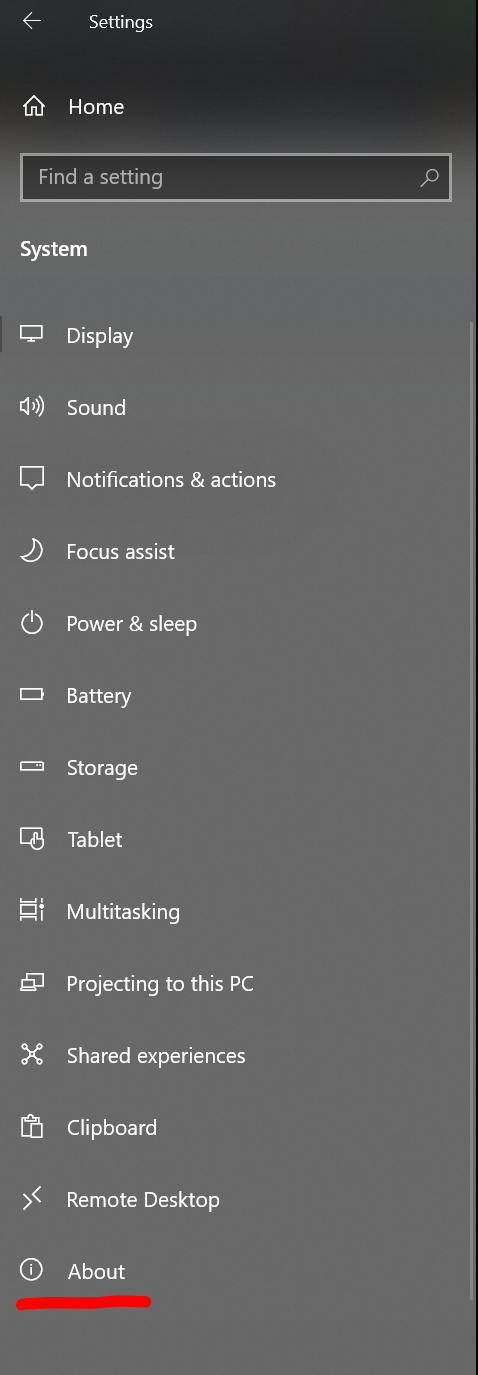
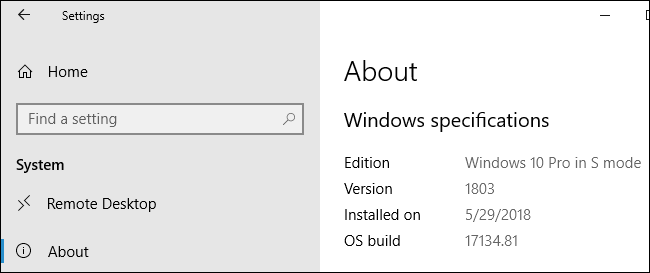
3. If you see the words “in S mode” to the right of the Edition entry, you’re using an S Mode PC. If you don’t, you’re not using S Mode.

Modified on: Fri, 19 May, 2023 at 11:50 AM
1. Go to Settings and click on system
2. Click on about
3. If you see the words “in S mode” to the right of the Edition entry, you’re using an S Mode PC. If you don’t, you’re not using S Mode.
Did you find it helpful? Yes No
Send feedback