
If you go to the Google Drive
Springside West Secondary College>ICT>Student Passwords
You can skip to step 3
Log into compass
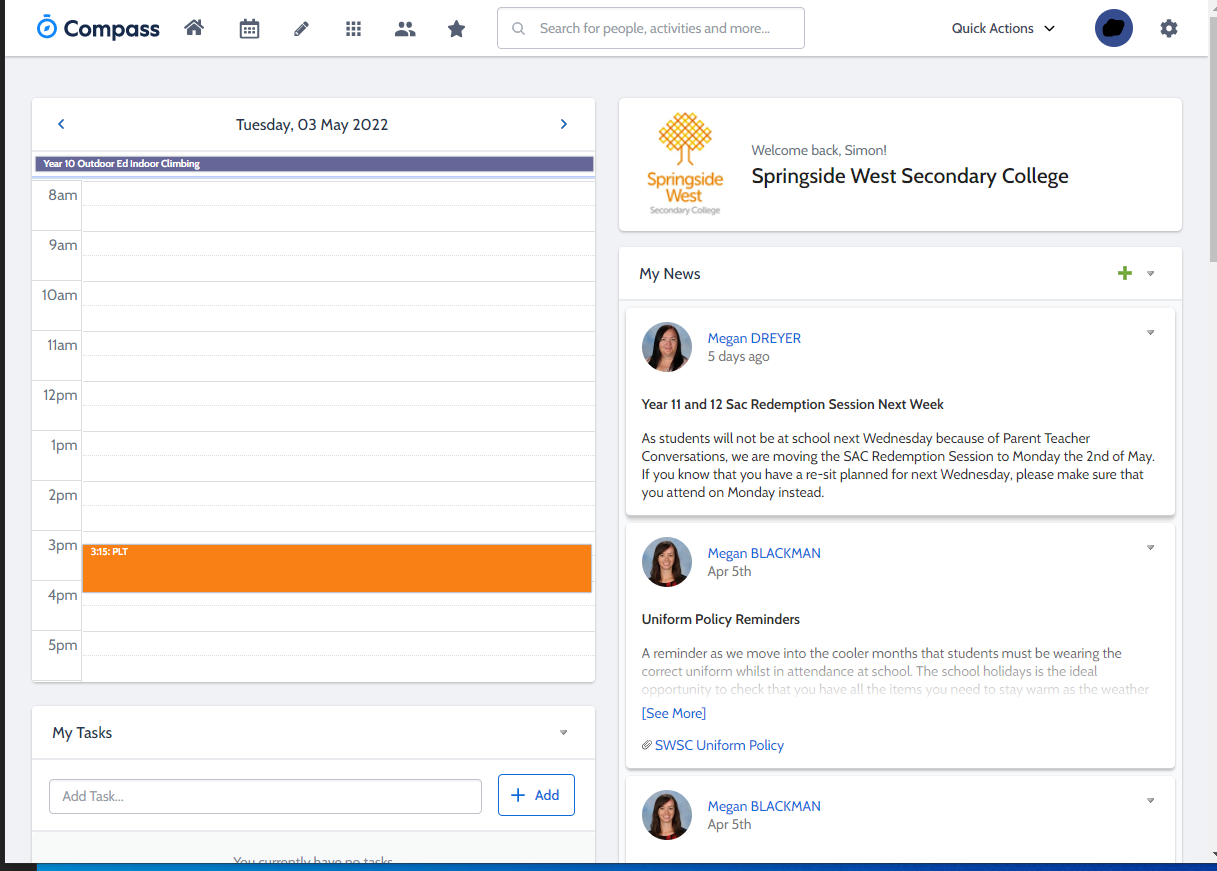
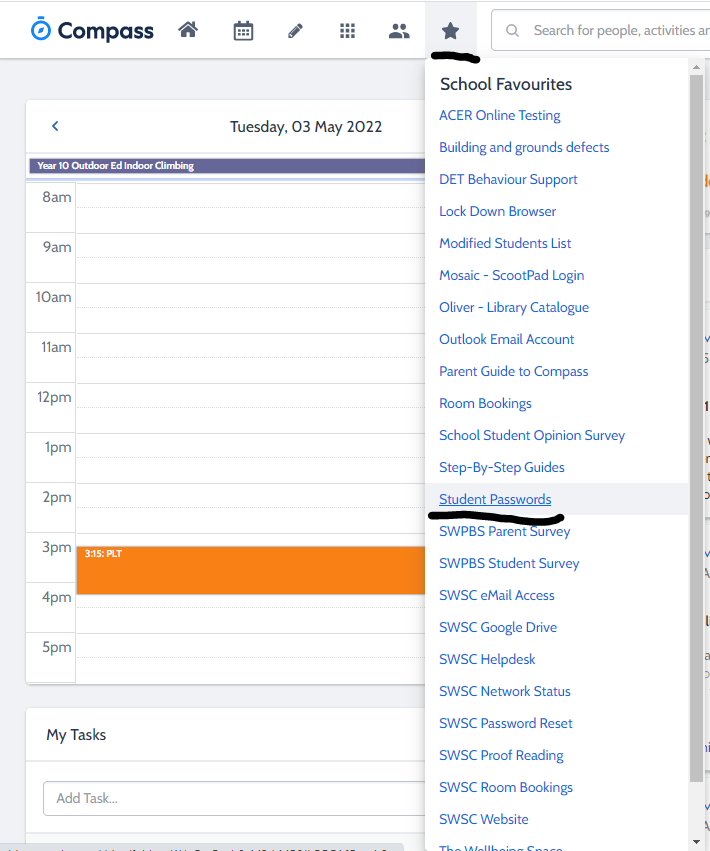
Go to the star icon and click on “Student Passwords”
Log into the school google drive using your @education.vic.gov.au.
Here you can select the student’s year level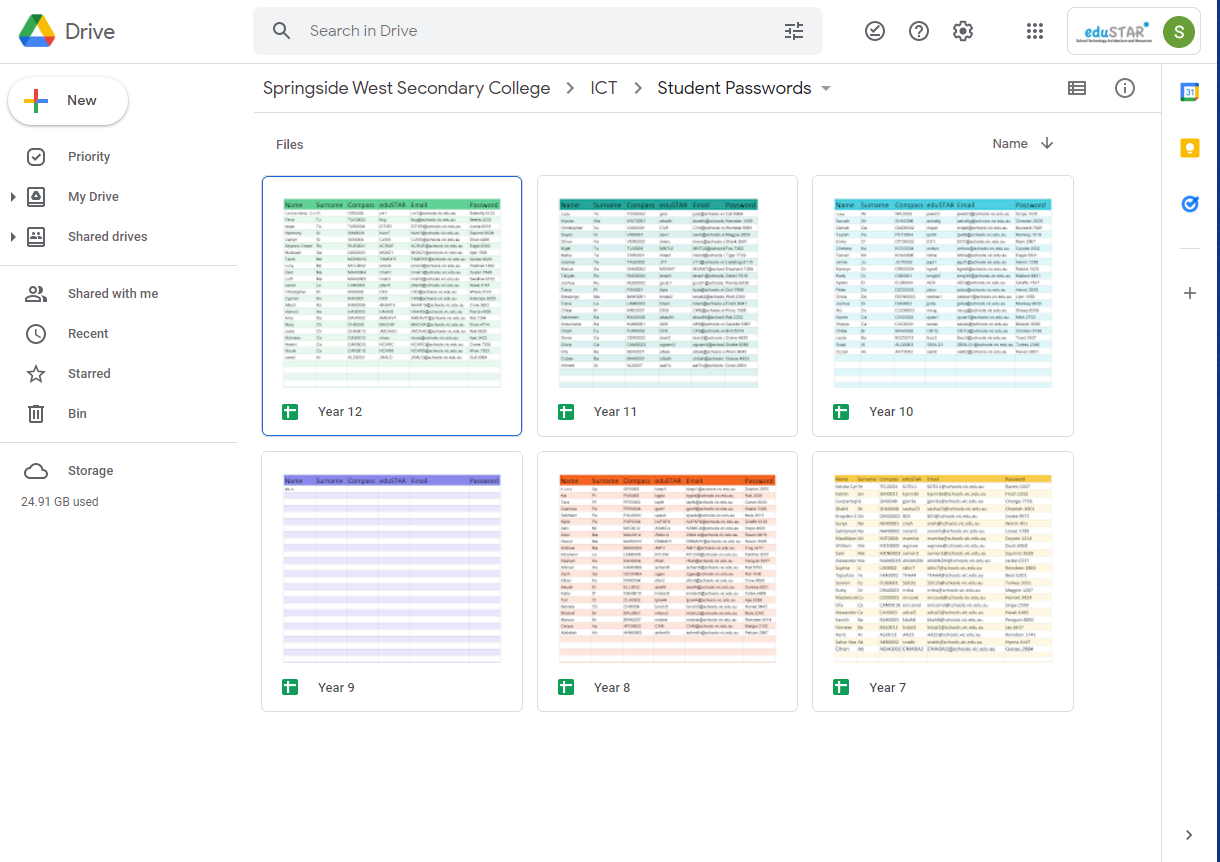
Select the Homegroup and look up the student’s name, compass, email or password
Last names are hidden for privacy reasons. Only the first 2 letters are shown.

Congratulations you have searched up for a student’s username and password