
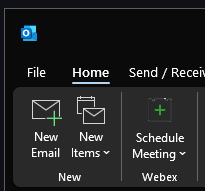
Open a new email in outlook
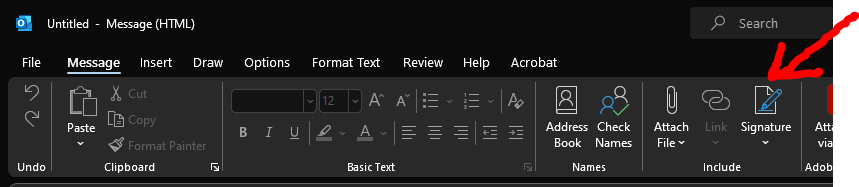
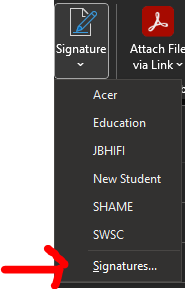
Locate the option for Signature > Signatures...
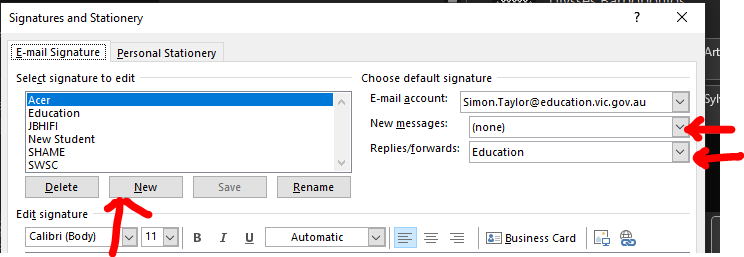
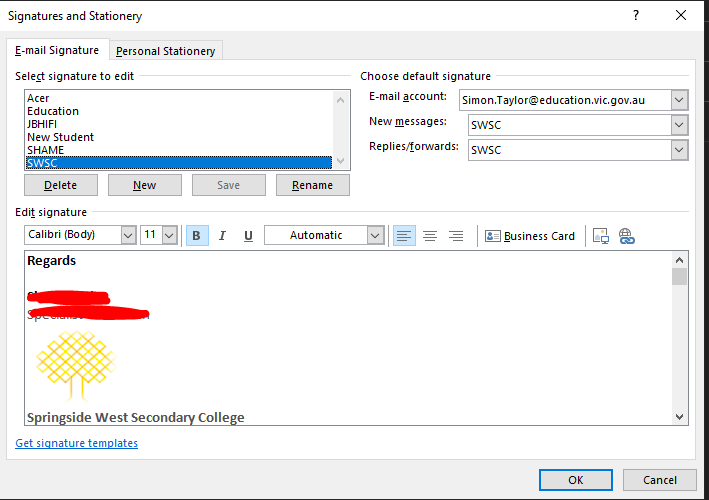
Create and name the New Signature
As you can see I have quite a few so you can name them anything
Set your preferred email signature on New messages: and Replies/forwards: messages
An example of the signature is bellow that you may copy and use
-------------------------------------------------------------------------------
Regards
Example Staff
Subject1 and Subject2

Springside West Secondary College
70 City Vista Court
Fraser Rise 3336
Ph: (03) 8357 7100
-----------------------------------------------------------------------------
Add your signature to it before clicking Save
Finally close the signature window and open a new email.
Congratulation on setting your email Signature.