
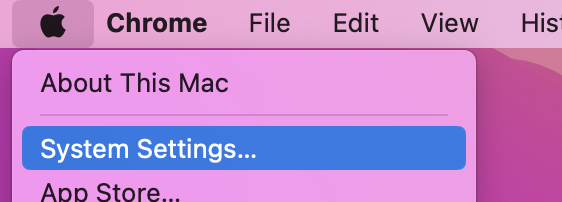
- Click on the Apple icon on the menu Screen, click System settings from the drop-down list.
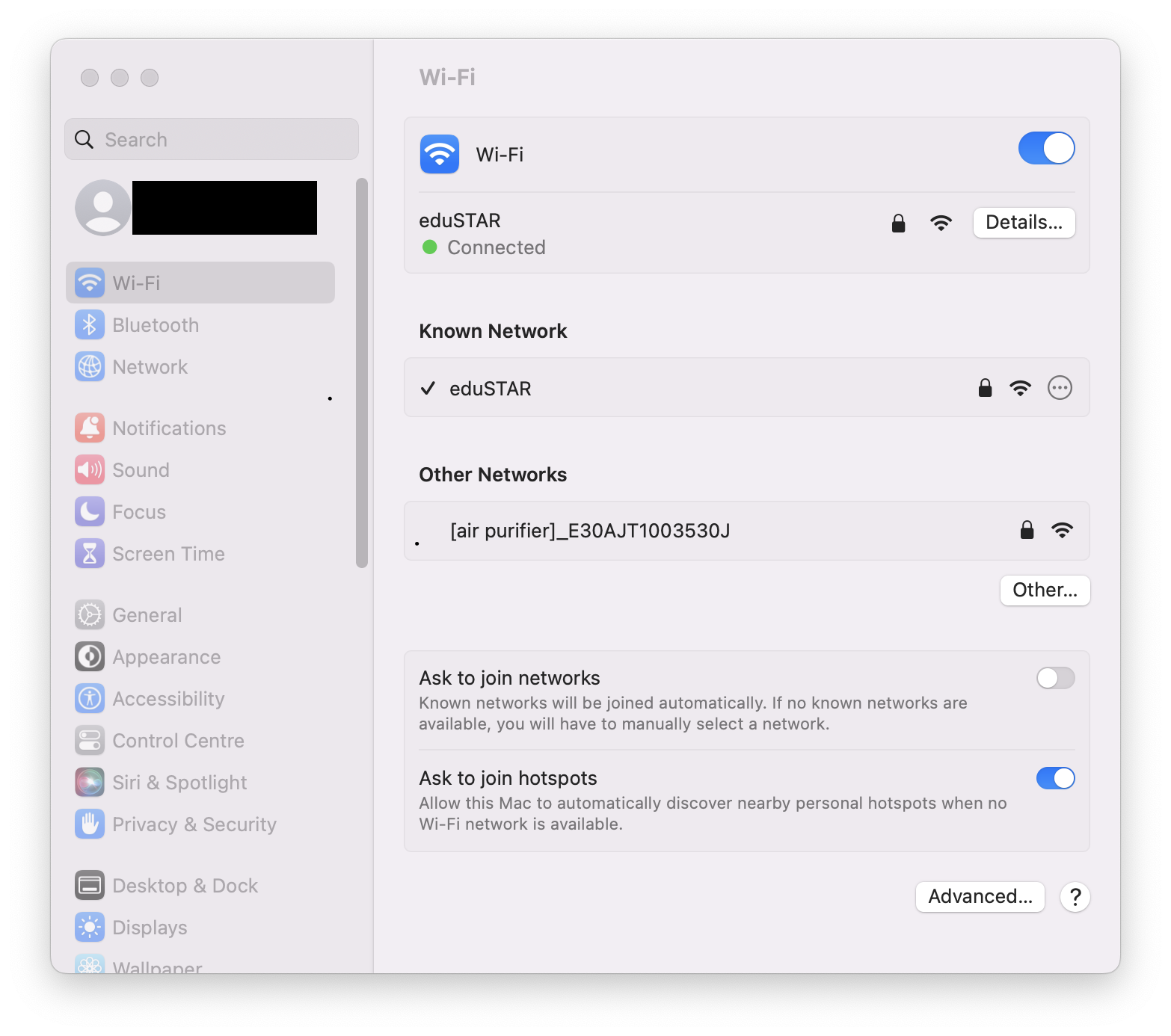
2. Click on “Wi-Fi”
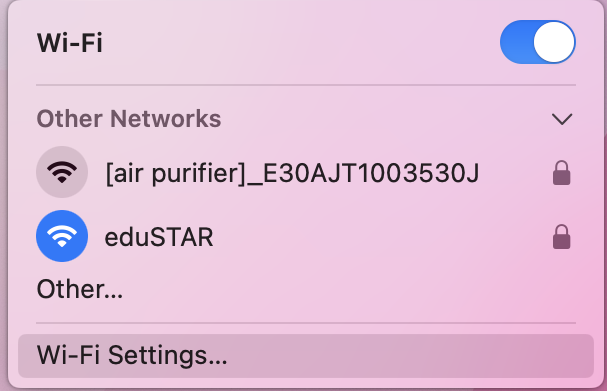
(Clicking on the Wi-Fi bar icon and hitting “Wi-Fi Settings…” on the drop-down menu will also take you to the same place)
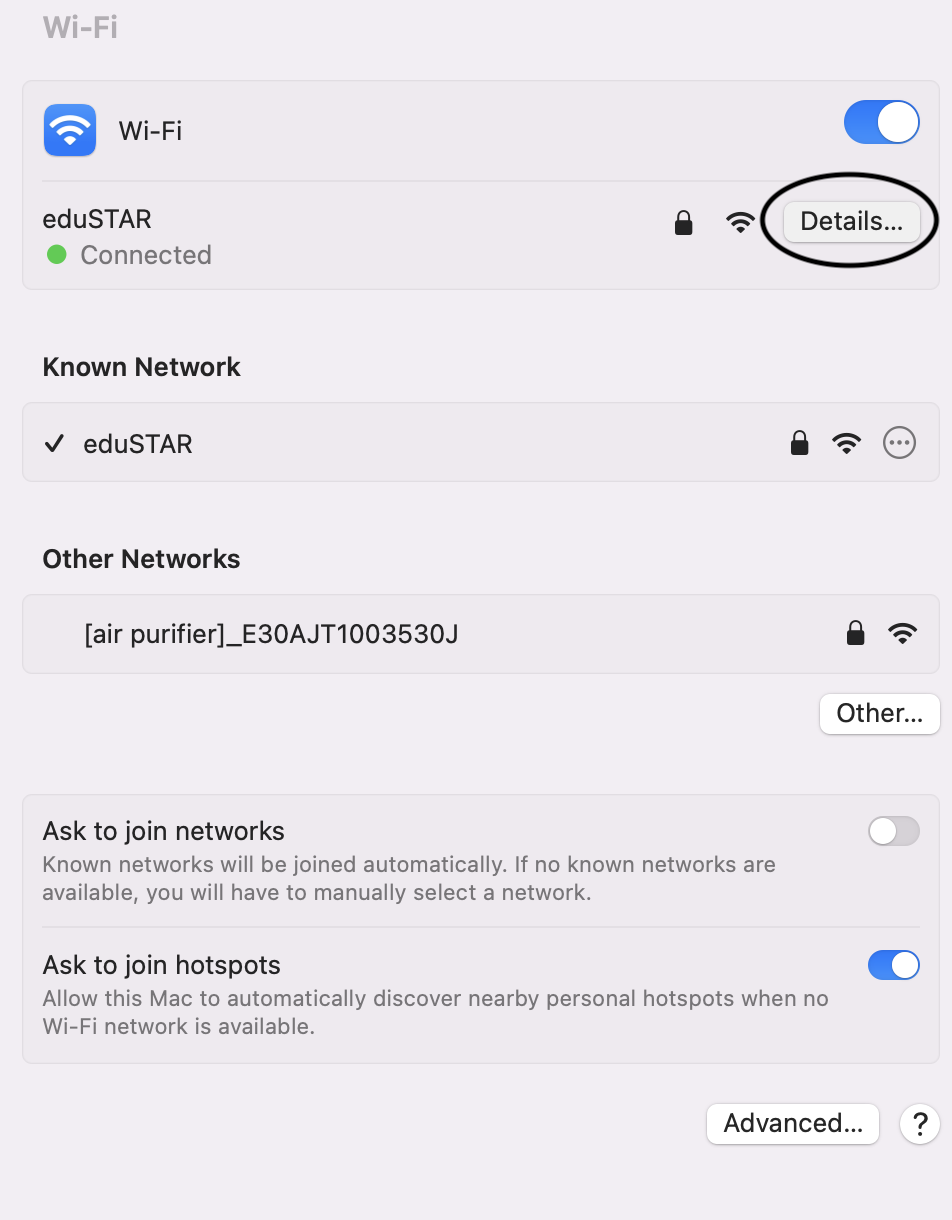
3. Next to the connected network, Click “Details…”
4. Navigate to “Proxies”, check on “Enable Auto Proxy Discovery”
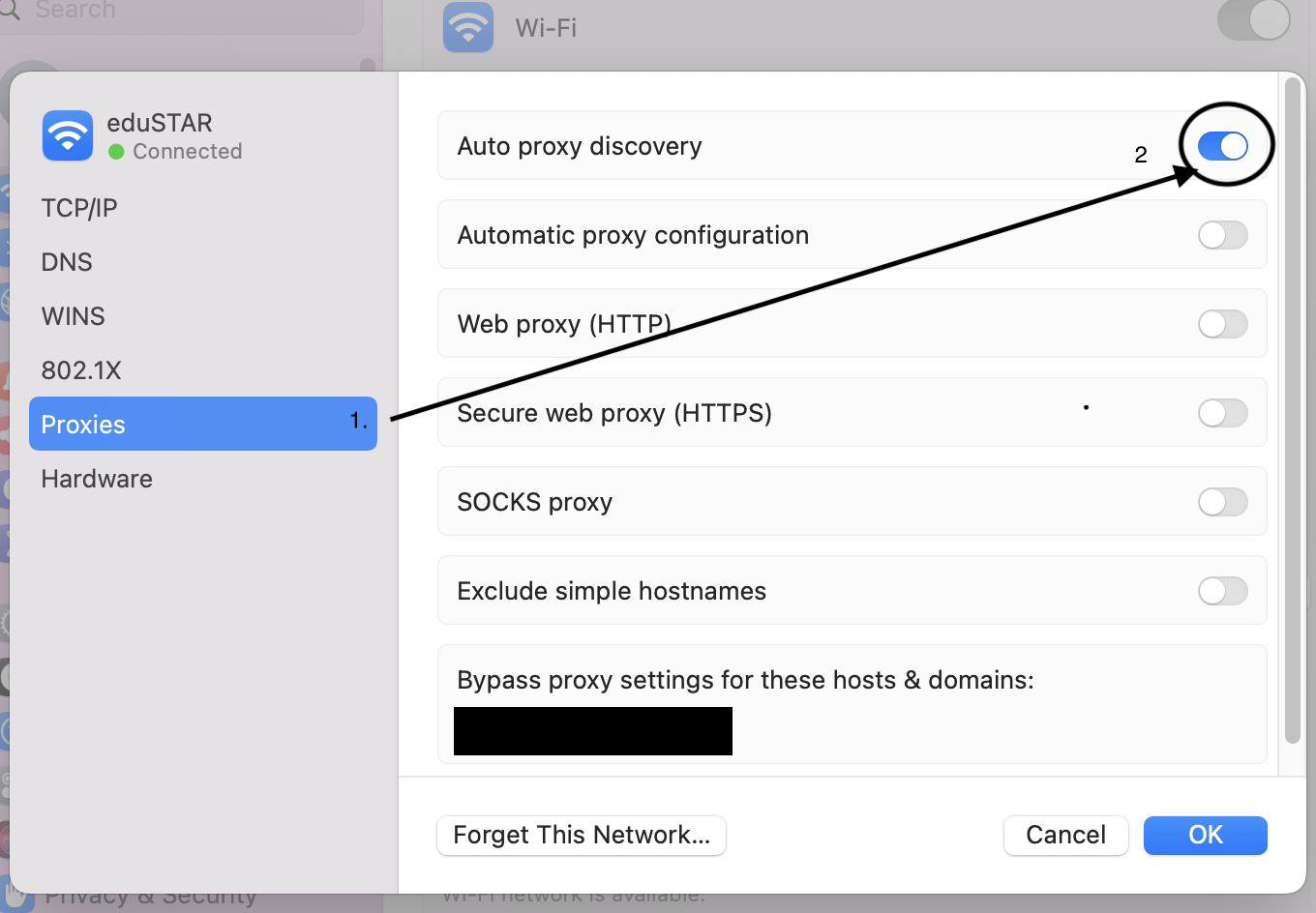
5. Click OK. if asked for verification enter in your Mac’s username and password (or use Touch ID).